When to Choose SaaS vs. PaaS for Your Business Needs?

Decide between SaaS and PaaS by assessing your business's technical expertise, customization needs, and budget. If you want ready-to-use software with minimal IT management and predictable costs, go for SaaS. It suits businesses lacking technical skills, ideal for CRM or email services. PaaS is better if you need customization and have a development team. It offers a flexible environment for building applications but comes with variable costs based on usage. Consider your security and compliance needs too—PaaS often requires active security management. Dig deeper to discover how these platforms can match your specific goals.
Key Takeaways
- Choose SaaS if your business requires ready-to-use applications with minimal IT management and predictable subscription-based costs.
- Opt for PaaS when your team has skilled developers needing a customizable environment for developing and managing applications.
- SaaS is ideal for standard operations like CRM, while PaaS is suited for custom application development and integration.
- Select SaaS for businesses with limited technical expertise and PaaS for those requiring control over application development and scalability.
- Consider compliance needs, as SaaS providers manage security, while PaaS requires active security management by your team.
Understanding SaaS and PaaS
When delving into cloud services, it's crucial to distinguish between SaaS and PaaS to determine which best fits your business needs.
SaaS, or Software as a Service, offers fully functional applications over the internet, allowing you to access them easily through web browsers. This eliminates the need for local software installation and extensive IT management. SaaS is subscription-based, providing on-demand scalability that reduces IT maintenance burdens.
Popular SaaS providers like Google Workspace, Salesforce, and Dropbox deliver ready-to-use solutions, making it perfect for end-users.
On the other hand, PaaS, or Platform as a Service, provides a robust cloud computing environment for developers. With PaaS, you can build, deploy, and manage applications without worrying about the underlying infrastructure, streamlining your development process.
Notable PaaS providers include Heroku, Microsoft Azure, and Google App Engine. PaaS allows for customization and integration tailored to specific application needs, offering flexibility for development.
Choosing between SaaS and PaaS largely depends on your organization's capabilities and security requirements. SaaS is ideal if you need immediate access to software applications, while PaaS is suited for developers focusing on application development and management.
Both models ensure automatic updates and security features that help maintain the latest software versions and protect sensitive data, enhancing overall user experience.
Understanding these cloud computing services will guide you in making informed decisions.
Business Needs Assessment
Kicking off your business needs assessment involves taking a close look at your organization's current IT capabilities to determine whether you need ready-to-use applications or a platform for custom development.
Start by assessing your team's technical expertise. If your team lacks programming skills, SaaS might be your best bet, as it requires minimal technical know-how. However, if you're equipped with a skilled development team, PaaS could offer the flexibility needed for custom applications.
Next, identify specific business functions that need support:
- SaaS is perfect for standard operations like CRM and collaboration tools.
- PaaS suits businesses aiming to develop and deploy custom applications tailored to unique needs.
Consider your budget constraints; SaaS's subscription model often fits startups, while PaaS costs might vary with usage and infrastructure.
Evaluate your scalability and flexibility requirements. If your business anticipates rapid growth or needs frequent updates, PaaS can provide more customization and control, contrasting with SaaS's fixed functionalities.
Additionally, it's crucial to thoroughly review the Service Level Agreements (SLAs) to ensure clarity in service delivery and business terms, safeguarding against potential risks.
Ultimately, aligning your choice with your business goals and capabilities ensures you harness the best technology for your needs. Balancing these factors can guide your decision between SaaS and PaaS effectively.
Control and Customization
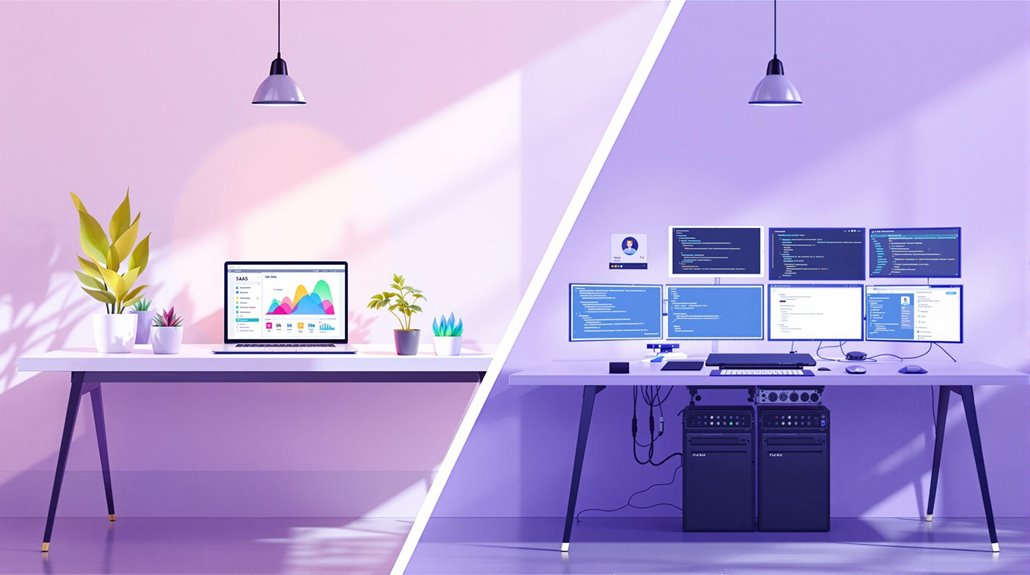
After assessing your business needs, it's important to consider the level of control and customization your organization requires.
If you're looking for more control over application development, PaaS offers a flexible environment tailored to developers and IT teams. It allows you to customize extensively using integrated development environments (IDEs) and middleware services. PaaS's flexibility extends to integration, enabling you to connect with other software and services, thus crafting complex workflows that align with your business goals.
On the other hand, SaaS solutions are ideal if you prefer minimal vendor dependency and a ready-to-use application. However, this comes with limited control and customization. You rely heavily on the vendor for updates and maintenance, restricting your ability to modify features as required. SaaS applications are generally standalone, offering functionality out-of-the-box but lacking the deeper integration flexibility found in PaaS.
Ultimately, your choice between SaaS and PaaS hinges on your organization's need for control and customization. If independence in managing application development and deployment is crucial, PaaS is your best bet. Conversely, if simplicity and reduced management overhead are priorities, SaaS might be more suitable. Additionally, SaaS applications eliminate the need for infrastructure management, as the provider handles updates and security, providing a convenient option for businesses seeking predictable costs.
Cost and Scalability
Evaluating the cost and scalability of SaaS and PaaS is crucial for aligning with your business goals. SaaS solutions offer a subscription-based pricing model, providing predictable monthly or annual costs. This can be particularly budget-friendly if your business has limited IT resources and requires a straightforward, scalable solution.
With SaaS, you can quickly adjust user licenses as needed, ensuring that you only pay for what you use.
- Predictable subscription-based pricing: Easily manage your budget with regular, set costs.
- Instant scalability: Add or remove user licenses without significant delays.
- Budget-friendly for limited resources: Ideal for businesses needing cost-effective solutions.
On the other hand, PaaS involves variable costs tied to resource consumption, which demands careful monitoring to avoid unexpected expenses. This flexibility can be beneficial if your business experiences fluctuating workloads.
PaaS provides scalable environments that automatically adjust resources based on user demand. This adaptability makes it an excellent choice for businesses focused on application development and requiring dynamic resource allocation.
Understanding the differences between SaaS and PaaS in terms of cost and scalability helps you make informed decisions that support your business's growth and operational efficiency, allowing you to choose the right model tailored to your specific needs. With SaaS, providers handle maintenance and updates, ensuring your applications are always up-to-date without additional effort from your team.
Security Considerations

When deciding between SaaS and PaaS for your business, one critical factor is the security considerations each model offers. SaaS solutions usually come with comprehensive security certifications, like ISO 27001, ensuring third-party audits and robust compliance with standards such as GDPR and HIPAA. These solutions often include built-in security features like data encryption, which the provider manages, making them ideal if your team lacks advanced IT security expertise. In contrast, PaaS users must navigate a shared responsibility model where securing developed applications falls on your shoulders. This means your team needs to implement strong security protocols to prevent vulnerabilities.
If your development team isn't well-versed in IT security, this could pose a risk. Therefore, it's vital to evaluate your organization's capability to manage these responsibilities effectively. Data residency and compliance are essential; SaaS providers typically outline their efforts, but as a PaaS user, you're accountable for ensuring your applications meet GDPR or HIPAA standards. While SaaS providers handle most security areas, PaaS requires you to actively manage your application's security, highlighting the importance of choosing the model that aligns with your team's security expertise and business needs.
It is crucial to conduct regular security audits to identify vulnerabilities and maintain a robust security posture.
Vendor Evaluation Criteria
A crucial step in choosing the right SaaS or PaaS provider is to meticulously evaluate their offerings against specific vendor criteria.
Start by assessing their service level agreements (SLAs) to ensure they meet your uptime and support requirements. A 99.9% uptime is a common standard among leading providers, making it essential that you don't compromise on this aspect for uninterrupted service.
When considering PaaS vendors, focus on their integration capabilities. Seamless compatibility with your existing tools can significantly enhance development efficiency and reduce project timelines.
Additionally, scrutinize their security certifications, like ISO 27001 or SOC 2 compliance, to ensure robust data protection and adherence to industry-standard security practices. It's important to verify that the vendor employs multi-factor authentication (MFA) as a security measure to prevent unauthorized access and enhance overall security.
To get a well-rounded view:
- Analyze customer reviews and case studies: Gauge the vendor's reliability and support effectiveness. High customer satisfaction ratings often reflect superior service quality.
- Examine the vendor's roadmap: A clear vision for future enhancements indicates their commitment to innovation potential and a long-term partnership.
- Evaluate integration capabilities: Ensure the ease of compatibility with your current systems to streamline workflows.