TSheets vs. Homebase: Which Employee Management Tool Is Best?

Choosing between TSheets and Homebase depends on your specific business needs. If you prioritize detailed time tracking and project management, TSheets might be your best choice with its GPS verification and customizable timesheets. However, if you want an all-in-one platform that handles scheduling, employee communication, and HR tools with a user-friendly interface, Homebase is likely a better fit. It offers free plans with unlimited employee access and advanced scheduling features. Homebase's pricing is more predictable, making it ideal for small businesses looking to scale. Dive into the specifics to find the perfect match for your team.
Key Takeaways
- Homebase offers a free plan for unlimited employees, making it cost-effective for small businesses compared to TSheets' per-employee pricing.
- TSheets excels in job-specific time tracking with GPS verification, ideal for remote teams needing precise location-based tracking.
- Homebase provides advanced scheduling features like shift swapping and auto-scheduling, reducing manual workload compared to TSheets.
- TSheets users report reliable customer support, but Homebase's intuitive design offers better usability and ease of navigation.
- Homebase integrates time tracking, scheduling, and HR tools, while TSheets focuses primarily on detailed timesheet and project management capabilities.
Key Features Overview
When comparing employee management tools, what stands out most in their key features? Homebase shines with its all-in-one platform, including time tracking, employee scheduling, and more.
It's user-friendly, allowing you to manage your workforce efficiently. One of its standout features is the unlimited employee access on all plans, including a free version. This makes it cost-effective, especially for larger teams.
The advanced scheduling tools in Homebase, such as shift swapping, role assignment, and an auto-population tool, allow you to streamline schedules based on employee availability without manual entry.
On the other hand, TSheets, now known as QuickBooks Time, focuses heavily on time tracking and project management. While it offers robust time tracking capabilities with features like GPS verification and job-specific assignments, it lacks the comprehensive nature of Homebase.
TSheets charges per employee, which can drive up costs as your team grows. It also requires manual scheduling, making it less efficient compared to Homebase.
In addition to these features, Homebase provides customizable employee handbooks, HR support, and labor law compliance tools, offering a more complete solution for managing your team than TSheets. SaaS solutions provide high scalability, which allows platforms like Homebase to effectively handle demand spikes and support business growth.
Scheduling and Time Tracking
You've got plenty of options when it comes to scheduling and time tracking, but Homebase and TSheets bring distinct strengths to the table.
Homebase offers a comprehensive solution with its all-in-one platform, providing both scheduling and time tracking features for free, even for unlimited employees. This can be a game-changer if you're looking to manage your team without incurring extra costs. Its auto-population feature simplifies scheduling by automatically filling shifts based on employee availability, ensuring fair and efficient shift allocation.
On the other hand, TSheets, now known as QuickBooks Time, excels in time tracking, especially for job-specific assignments. However, it lacks built-in scheduling capabilities, meaning you'll need to manually enter schedules, which might add to your workload.
TSheets does offer GPS tracking, allowing you to monitor employee locations during clock-ins—perfect for remote teams. Automation of routine tasks in platforms like these can significantly enhance efficiency by freeing up time for strategic HR initiatives.
Both platforms let employees sign in and out via mobile apps with GPS verification. While Homebase includes time tracking in its free plan, TSheets charges for these tools. Keep this in mind when deciding which platform best suits your business's scheduling and time tracking needs.
Integration and Compatibility

After assessing scheduling and time tracking, it's important to consider how well these tools integrate with your existing systems. Integration can make or break your workflow efficiency, and both QuickBooks Time and Homebase offer unique strengths in this area.
- QuickBooks Time Integration: If you're already using QuickBooks for payroll, QuickBooks Time is a natural fit. Its seamless integration ensures smooth data transfer, though it lacks built-in payroll functions, meaning you'll need extra software for full payroll management.
- Homebase Payroll Integration: Homebase shines with its robust integration capabilities, including its own payroll management feature. This allows for streamlined employee compensation processing without needing third-party payroll software.
- HR Tools Compatibility: Homebase also supports various HR tools and apps, enhancing its functionality for small to mid-sized businesses. Its API ratings indicate high compatibility with third-party applications, offering flexibility in your tech stack.
- Project Management Focus: QuickBooks Time specializes in job-specific assignments and GPS tracking, catering primarily to time tracking and project management.
However, its emphasis on QuickBooks limits flexibility with other platforms.
Choosing between these tools depends on your existing systems and specific business needs.
Accounting software often includes core functions such as accounts payable/receivable and general ledger, which are vital for comprehensive financial management.
Pricing and Plans
In evaluating employee management tools, understanding the pricing and plans is crucial for effective budgeting. When considering Homebase vs QuickBooks Time, you'll find distinct differences in their cost structures that can impact your decision.
Homebase stands out with its free plan, accommodating unlimited employees with basic scheduling and time tracking features. This is ideal for smaller businesses or those just starting. If you need more advanced features, Homebase's paid plans begin at $24.95 per month per location, offering a straightforward and budget-friendly option as your business grows.
On the other hand, QuickBooks Time, formerly known as TSheets, starts at $20 per month but requires additional payments per employee. This model can lead to higher expenses, especially for larger teams, making it potentially less predictable for budgeting. Although QuickBooks Time also offers a free trial, its overall pricing might escalate due to extra charges for features or additional employees.
Businesses such as startups and small businesses can particularly benefit from the cost efficiency of SaaS solutions like Homebase, which aligns costs with actual usage.
Homebase provides a 14-day free trial of its premium features, allowing you to test its expanded capabilities without immediate commitment.
Ultimately, Homebase's pricing structure tends to be more advantageous for businesses looking to scale without facing unpredictable costs.
User Experience and Support
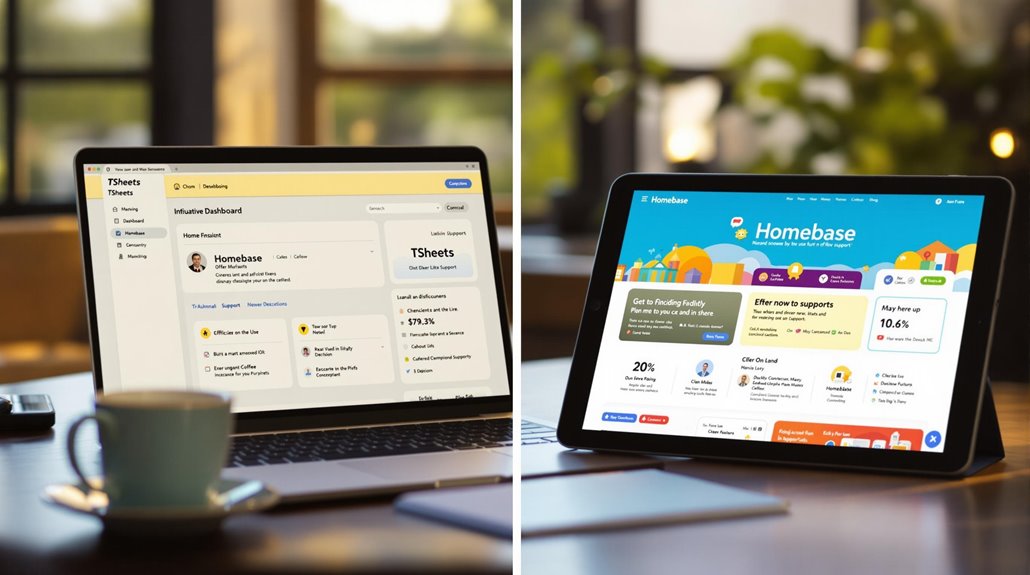
Having considered the pricing and plans, it's important to also evaluate how these employee management tools perform in terms of user experience and support. User reviews show that both TSheets and Homebase score highly in user sentiment, with TSheets slightly ahead. This suggests general satisfaction across both platforms.
TSheets excels in customer support, with 87% of users finding it reliable and responsive, although some experience delays. Homebase, on the other hand, faces challenges with accessibility in customer service, despite offering live chat and email support like TSheets.
When it comes to user-friendly interfaces, Homebase shines with its intuitive design, making it easier for users to navigate. In contrast, TSheets, now known as QuickBooks Time, is powerful but presents a steeper learning curve. Users highlight this difference in reviews, favoring Homebase for its approachability.
Furthermore, Homebase enhances user experience through:
- Regular updates - Keeps the platform current and efficient.
- Community forums - Offers additional resources and peer support.
- Training materials - Helps users maximize software benefits.
- Intuitive design - Simplifies navigation and usage.
Additionally, SaaS platforms, like these employee management tools, are transforming the recruitment landscape by centralizing recruitment tasks, enhancing efficiency and reducing time in hiring processes.
Ultimately, your choice depends on prioritizing robust support or ease of use.