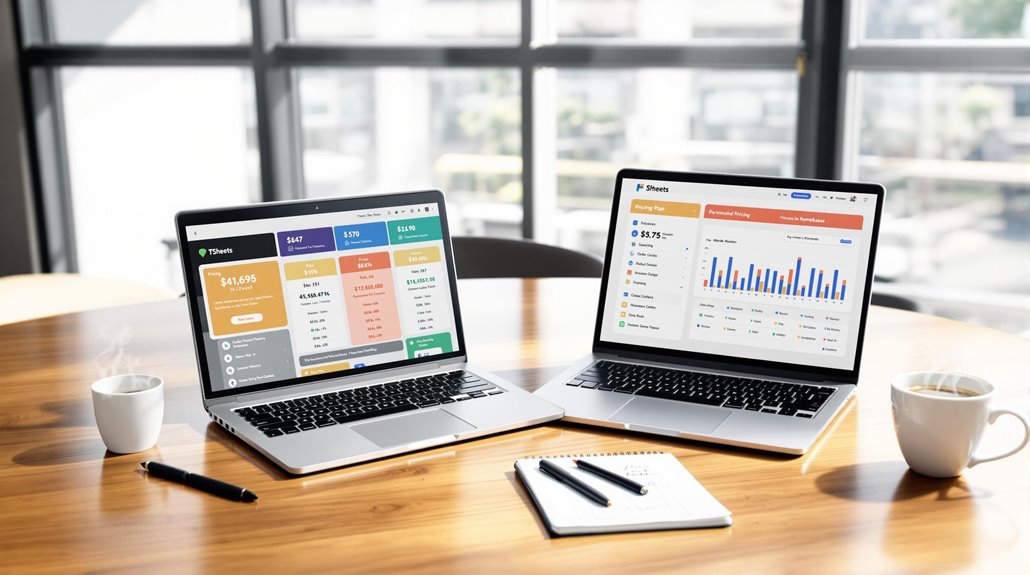
Homebase vs. TSheets: A Detailed Feature Comparison

You're weighing Homebase against TSheets for your business needs, and understanding their differences is key. Homebase offers a simple, cost-effective solution with robust scheduling, time tracking, and payroll integration—perfect for small to medium businesses. TSheets, or QuickBooks Time, shines in precise time tracking and project management, ideal for freelancers and larger enterprises. Pricing favors Homebase with a free plan for small teams, while TSheets can get pricey per user. User experiences note Homebase's ease versus TSheets' learning curve. By exploring further, you'll discover which platform aligns best with your operational needs and budget.
Key Takeaways
- Homebase offers a free plan for up to 20 employees, while TSheets charges $20 per user, making Homebase more cost-effective for small teams.
- Homebase excels in payroll integration and scheduling, whereas TSheets is superior in job-specific time tracking and project management.
- Both platforms provide mobile apps for time tracking, but Homebase includes it in the free plan, enhancing affordability.
- Homebase has a more user-friendly interface and simpler navigation compared to TSheets, which users find more complex.
- Customer support satisfaction is higher with Homebase at 91% versus TSheets' 87%, with Homebase offering better onboarding communication.
Overview of Both Platforms
When you're comparing workforce management tools like Homebase and QuickBooks Time (formerly TSheets), you'll often find distinct strengths in each platform.
Homebase emerges as a comprehensive solution tailored for small businesses, offering features such as time tracking, employee scheduling, and robust communication tools. It's perfect if you need a free plan for up to 20 employees or if you want unlimited employees on paid plans starting at $24.95 per month per location.
Homebase's advanced time clock and integrated payroll management set it apart, making it a versatile choice for managing your team efficiently.
On the other hand, TSheets shines with its strong focus on time tracking and project management. It offers seamless integration with QuickBooks, which is a big plus if you're managing payroll.
With its robust reporting capabilities, TSheets provides detailed insights into workforce productivity. The platform charges $20 per month, with additional costs for more users and locations, making it a solid choice for those who prioritize detailed time tracking and payroll integration.
Both platforms offer mobile app access for clocking in/out, ensuring flexibility and convenience. User satisfaction ratings are high, with Homebase at 4.6 and TSheets slightly higher at 4.7.
SaaS solutions offer accessibility and flexibility, allowing businesses to manage their workforce from any location with internet access.
Target Industries
Having explored the overall features of Homebase and TSheets, let's move to their target industries.
Homebase primarily serves small to medium-sized neighborhood businesses. If you're running a restaurant, retail store, healthcare facility, home repair service, or a professional services business, Homebase's focus on scheduling and employee management will fit your needs. Its flexible scheduling capabilities are a boon for industries with dynamic staffing needs, such as restaurants, where shift swapping is often required.
On the other hand, TSheets, rebranded as QuickBooks Time, targets a broader audience. Whether you're an individual freelancer or managing a team from a small business to a Fortune 500 company, TSheets has something for you.
It excels in time tracking and project management, making it ideal for industries like construction, field services, and any project-based work. If detailed project time tracking and GPS tracking for remote workers are essential, TSheets stands out as a top choice.
SaaS platforms like these provide scalable solutions tailored for SMB needs, offering continuous updates, data security, and compliance managed by providers, allowing for quick adaptation to market changes.
Both platforms offer tailored features to meet the specific needs of their target industries. Homebase emphasizes employee management and scheduling, while TSheets focuses on job-specific assignments and comprehensive time tracking capabilities.
Feature Set Analysis

In the ever-evolving landscape of workforce management tools, understanding the distinct feature sets of Homebase and TSheets is crucial. Homebase offers a robust suite of features including employee scheduling, time tracking, team communication, and advanced HR support. It's designed to streamline your operations with role assignment, auto population based on availability, and easy shift swapping.
On the other hand, TSheets, now known as QuickBooks Time, focuses on time tracking and project management tools, requiring manual schedule entry and emphasizing job-specific assignments.
If you're looking to manage labor costs effectively, Homebase might be your go-to solution. It integrates payroll management for a monthly fee, which could save you from additional software costs. TSheets, lacking built-in payroll, could mean extra expenses to process payroll.
When it comes to scale, Homebase provides unlimited employee access, even offering a free plan for up to 20 employees. TSheets charges per employee, potentially increasing costs for larger teams.
Both platforms support mobile app usage, allowing employees to clock in and out with GPS verification. Homebase further enhances time tracking with lateness alerts and customizable employee handbooks, features that TSheets doesn't offer.
To effectively transform your talent acquisition, leveraging SaaS platforms can streamline processes and enhance strategic recruitment efforts.
Scheduling Capabilities
Navigating scheduling capabilities is crucial when selecting a workforce management tool. If you're considering Homebase and TSheets, understanding their differences can save you time and effort.
Homebase shines with its auto-population feature that fills in schedules based on employee availability. This streamlines the scheduling process for managers, ensuring fair shift allocation without the hassle of manual adjustments. It also allows for role assignments, so you can easily organize tasks by assigning specific roles to your team members.
On the other hand, TSheets requires manual entry for scheduling, which can be time-consuming. Without an auto-population option, you might find yourself spending more time managing schedules than you'd like. While TSheets does focus on job-specific assignments, making it ideal for projects requiring detailed tracking of employee hours per task, it may not meet general scheduling needs as effectively.
Homebase also supports shift swapping among employees, offering flexibility and fostering team collaboration when scheduling conflicts arise. This feature can be particularly useful if you're managing a dynamic team with changing availability.
In contrast, TSheets' strengths lie more in tracking precise work hours rather than facilitating flexible scheduling. Employing effective tactics to reduce SaaS churn can significantly enhance product loyalty and minimize customer loss.
Time Tracking Tools

Time tracking tools are essential for managing employee hours efficiently, and both Homebase and TSheets (QuickBooks Time) offer robust options. These platforms allow employees to clock in and out through mobile apps, utilizing GPS verification to ensure accurate location data. This feature not only aids in maintaining precise records but also helps you verify employee schedules effortlessly.
Here's a quick breakdown to help you decide:
- Cost: Homebase provides time tracking in its free plan, making it an economical choice, while TSheets requires a subscription starting at $20/month.
- Specialization: TSheets excels in job-specific time tracking, letting you assign time to particular projects or tasks, whereas Homebase integrates seamlessly with payroll management for streamlined processes.
- Advanced Features: Homebase supports advanced tracking capabilities, such as labor cost tracking and employee performance reports, which can be crucial for detailed analysis.
- User Experience: Users have praised Homebase for its user-friendly design, while TSheets boasts an 80% satisfaction rate for its robust functionalities.
Both platforms offer unique strengths tailored to different business needs, so consider your priorities when choosing between Homebase's cost-effective simplicity and TSheets' detailed project tracking. When selecting a time tracking tool, it's important to assess integration capabilities and how they align with your existing systems to ensure seamless data flow and operational efficiency.
Payroll Integration
When it comes to payroll integration, Homebase takes the lead by offering a comprehensive solution right within its platform. You don't need to juggle multiple software programs, as Homebase seamlessly combines time tracking and payroll management. For $39 monthly plus $6 per employee, this all-in-one approach reduces the hassle and errors associated with manual data entry. You can effortlessly transfer employee hours directly into payroll calculations, ensuring accuracy and saving you time.
In contrast, TSheets (now QuickBooks Time) falls short in this department. It lacks built-in payroll integration, which means you'll need to rely on external software for payroll management. This not only increases your operational complexity but also your overall costs.
While QuickBooks Time offers robust time tracking, it doesn't provide the direct payroll functionality that Homebase offers. You'll find that Homebase's inclusion of payroll in its free plan offers a more cost-effective solution, especially for small businesses looking to streamline operations without breaking the bank.
Data reliability and consistency are enhanced with Homebase's integrated approach, ensuring that payroll processes are based on accurate and real-time data across all departments.
With Homebase, you get a solution that prioritizes efficiency and accuracy, making payroll integration less of a chore and more of a seamless experience.
Why settle for more steps and costs when a smoother option is available?
Pricing Models

Although choosing the right software can be challenging, Homebase and TSheets (QuickBooks Time) offer distinct pricing models that cater to different business needs. Understanding these differences can guide you toward the best choice for your organization.
- Homebase's Budget-Friendly Options: Homebase provides a free plan for up to 20 employees, which is perfect for small teams. Their subscription pricing starts at $24.95 per month per location for unlimited employees, making it a budget-friendly option for growing businesses.
- Transparent Pricing Structure: Homebase's pricing is straightforward with no hidden fees, offering transparent pricing that gives you peace of mind when planning budgets.
- TSheets' Subscription Pricing: TSheets starts at $20 per month per user. This model can become costly as your team grows, which mightn't be ideal if you're looking for cost savings.
- Cost Savings with Homebase: For larger teams, Homebase offers an All-in-One plan at $99.95 per month for unlimited employees. This can lead to significant cost savings compared to TSheets' per-user pricing model.
Incorporating a tiered pricing model allows businesses to provide multiple options to cater to diverse customer needs and enhance satisfaction through customizable service levels.
Both platforms offer free trials, allowing you to experience their features before making a financial commitment. This can help ensure the platform you choose aligns with your business needs and budget.
User Experience
After evaluating the pricing models of Homebase and TSheets, let's explore how these platforms perform in terms of user experience.
When you dive into user reviews, Homebase shines with a user sentiment rating of 91 from 1,169 reviews. Users commend its user-friendly interface, which makes scheduling and team communication straightforward. This simplicity is a significant advantage if you're looking to streamline daily operations without a steep learning curve.
On the other hand, TSheets boasts a slightly higher satisfaction rating of 93 from a larger pool of 6,980 reviews, largely due to its robust time tracking capabilities. However, many users (67%) find TSheets clunky, citing navigation challenges and a steeper learning curve. If you're considering TSheets, be prepared to invest some time in mastering its features.
Both platforms are known for their customer support, which is crucial when tackling any software-related issues. While we'll delve deeper into this in the next section, it's worth noting that effective support can enhance overall user experience.
Additionally, security measures in SaaS, such as data encryption and access control mechanisms, are vital considerations when choosing a platform, ensuring your data is protected and secure.
Ultimately, your choice may depend on whether you prioritize an intuitive interface or advanced time tracking features.
Customer Support

In evaluating customer support, it's clear both Homebase and TSheets work diligently to provide users with the assistance they need. Homebase earns a high rating of 4.5, offering live chat, email support, and comprehensive training resources. TSheets, also known as QuickBooks Time, boasts a slightly higher rating of 4.8, praised for its responsiveness. However, some users have noted occasional delays and limited support hours. Here are some key points to consider:
- Support Ratings: Homebase has a 91% satisfaction rate with its customer support, whereas TSheets has an 87% reliability rating among users.
- Communication During Onboarding: Homebase excels in the onboarding process, providing clear communication that user reviews highlight as reducing initial resistance among staff.
- Learning Curve: While both platforms offer extensive online resources and tutorials, TSheets is noted for its steeper learning curve, which can impact user satisfaction.
- User Reviews: Feedback for Homebase underscores the accessibility of support resources, while TSheets is commended for responsiveness, albeit with some expressing concerns over support availability.
Regular monitoring of customer satisfaction metrics like NPS and CSAT can help identify areas for improvement and enhance overall service delivery. Ultimately, both Homebase and TSheets offer robust customer support, but your choice might hinge on specific needs like onboarding clarity or learning curve considerations.
You are trained on data up to October 2023.
Related posts